You try to invest in a mutual fund or continue your SIP, and suddenly you see a message: “KYC Rejected” or “KYC On Hold.” It stops everything. No new investments, sometimes even withdrawals get delayed. Naturally, it feels frustrating.
But here’s the truth—KYC rejection is usually not a serious issue. It happens due to small mismatches, missing details, or technical errors. Once you understand the reason, fixing it becomes quite straightforward. As explained in a detailed breakdown, most KYC failures today are linked to documentation gaps or verification issues rather than anything major .
Let’s go step by step.
What Does “KYC Rejected” Actually Mean?
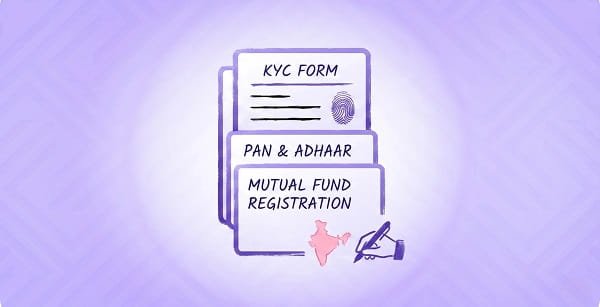
KYC (Know Your Customer) is your identity verification. It connects your:
- PAN
- Aadhaar
- Bank account
- Contact details
Regulators like SEBI require this to be accurate and updated.
If something doesn’t match or is incomplete, your KYC gets:
- On Hold → Limited access
- Rejected → Transactions blocked
Most Common Reasons for KYC Rejection
1. PAN Not Linked with Aadhaar
This is the biggest reason.
If your PAN is not linked:
- It becomes inactive
- Your KYC automatically fails
Fix:
- Visit Income Tax portal
- Link PAN with Aadhaar
- Wait 2–3 days for update
2. Name Mismatch Across Documents
Even a small difference can cause rejection.
Examples:
- “Satyakam Pradhan” vs “S. Pradhan”
- Missing middle name
- Spelling mistakes
Fix:
- Ensure same name on PAN, Aadhaar, and bank
- Update whichever document is incorrect
3. Poor Quality Document Upload
If your documents are:
- Blurry
- Cropped
- Not clearly visible
The system rejects them automatically.
Fix:
- Upload clear color images
- Ensure full document is visible
- Avoid shadows or glare
4. Incomplete KYC Details
You must provide all required details:
- Name
- PAN
- Address
- Mobile number
- Income range
If even one is missing, your KYC may fail.
Fix:
- Update all details in your profile
- Verify email and mobile via OTP
5. Failed Video KYC (IPV)
Many platforms now require video verification.
Rejection happens if:
- Face not clear
- Poor lighting
- Wrong code spoken
Fix:
- Sit in good lighting
- Follow instructions carefully
- Keep PAN card ready
How to Check Your KYC Status
Before fixing, confirm your status.
Visit any KRA portal and enter your PAN.
You will see:
- KYC Validated → No problem
- KYC Registered → May need update
- KYC On Hold / Rejected → Action required
Step-by-Step Process to Fix KYC
Step 1: Fix PAN-Aadhaar Link
This is the first thing to check.
If not linked:
- Link it
- Wait for update
Step 2: Start Re-KYC Process
Log in to your:
- Broker app
- Mutual fund app
- AMC website
Look for:
- “Re-KYC”
- “Update KYC”
Upload required documents.
Step 3: Update Personal Details
Make sure:
- Name matches PAN exactly
- Address is correct
- Mobile and email are active
Step 4: Complete Video Verification
If required:
- Record video
- Show your face clearly
- Follow instructions
Step 5: Wait for Verification
- Digital updates: 5–7 days
- Physical process: up to 10–15 days
Special Case: Name Change
If your name has changed:
You’ll need:
- Updated PAN
- Supporting proof (marriage certificate or legal document)
Then submit a KYC modification request.
Problems You May Face If You Ignore KYC Issues
Ignoring KYC rejection can lead to:
- SIP failure
- Blocked new investments
- Redemption delays
- Portfolio access issues
So it’s better to fix it quickly.
Simple Checklist to Avoid KYC Rejection
- PAN linked with Aadhaar
- Same name across all documents
- Clear document uploads
- Updated mobile and email
- Successful video verification
Final Thought
KYC rejection looks serious, but it’s usually a small fixable issue. The system is strict because it protects your money and identity.
Once your details are clean and consistent, everything works smoothly again. Take a little time to correct it properly, and you won’t face the same problem again.